Social Media Secrets

The secret to social media success is actually to use it as the start of your sales funnel. However, Social Media isn’t a place for hard selling. Social channels were designed for casual conversation and spontaneous interaction. That’s the main reason why you should pay a lot of attention to your website’s content and focus on your brand storytelling while engaging with your customers.

Network on social media like you’re at a social event

Here’s another piece of advice for a small business entrepreneurs. If you start a conversation on social media by telling people, ‘Hey, go to my website,’ you’re probably not the best networker.
You would never walk up to someone at a networking event and hand them your business card without first striking up a conversation. Social media works the same way.

Social media allows you to connect with people one-on-one without paying for advertising. So connect! Once a follower is confident that there’s a real person on the other side of the keyboard, they’ll respond to your special offers, event invitations, or inquiries about their specific needs. Remember, it takes time to develop these relationships.

Create a landing page to capture contact information

Once you’ve developed a relationship on social media, it’s time to direct your potential customer to a landing page. Think of the most important action a customer can make once they arrive at your website. Is it signing up for your email newsletter? Downloading a free ebook? Registering for an event?

Ask for that one important action on a landing page. It might be the very first page a visitor sees when they arrive at your website, or it could be a prompt that pops up once a visitor has clicked around your site. A prominent landing page keeps your visitor on task and moves them into the sales phase of your funnel.

You don’t need advanced software to create a landing pageGoogle Forms are free, and services like Wufoo and Jotform offer free starter levels of service. These tools can help you set up a system to capture the most critical information about your leads, like their email addresses or phone numbers.

Remember to keep your landing page simple. Add your landing page URL to your social media profiles to make it easy for people to get more information about your business.

Engage first, sell later

Once you’ve forged connections on social media and captured lead contact information, you can start to think about selling to that potential customer. Thank your customer for their interest and provide value, whether it be in the form of an educational email newsletter, free product download, or consultation offer. Continue to build relationships with consistent communication that will get your customers excited about doing business with you.

Your initial social media interactions can impact how smoothly your entire sales process goes. Don’t ignore these powerful, free tools — use them to your small business advantage!

Social Media and SEO

Social media is one of the main players in the game of search engine optimization (SEO). It’s the seven of the top 10 SEO ranking factors. People are talking about what you do on Facebook, Instagram, Twitter and other social networks. And, if they are linking to an amazing content on your small business website, it works wonders at getting your business listed on search results. That’s why the best small business websites integrate social elements.

How to add social media to your website to help grow your business?

Create shareable content

Keep this question in mind when you create content for your website: Will my visitors want to share this information? Every successful website has a great content – unique, relevant, trustworthy content. Text, video and images of your website and your website pages should exceed the expectations of your visitors. Infographics. White papers. Stuff they can’t find anywhere else and, that they feel compelled to share.

Make social sharing simple

Every small business website can benefit from at least adding a Facebook widget to the home page. But why stop there? You’ve probably seen product “shares” in your feed. That’s because people love to share images of things they think are cool on their favorite social platforms. Make sharing your cool stuff simple by placing social buttons on your product pages.

Showcase social feeds

If you use social networks like Twitter or Facebook to build your business, showcase your social activity on your website by incorporating social feeds. They can give viewers a glimpse of your business’s personality and entice them to connect with you. Embed Twitter timelines and Facebook activity feeds. It will boost your, more integrated, online business presence.

Offer social sign-in and commenting

Make it easy for visitors to sign in and comment on your website. They can simply select to log in via their Facebook account. They might need to enter an email address or similar – but they’ll likely find the more simplified sign-in process appealing. You can also enable visitors to leave comments on your site through social-based comment tools like Disqus and Facebook Comments (it allows users to comment on your content using their Facebook profile and show their comments to their friends in their news feed). If you’d like to learn more – Social Media Examiner provides a helpful overview of how social login works.

Install social media widgets on your website

It’s important to place your contact information in a prominent location on your website. However, you can make it even easier for people to find and follow your social media accounts. Social media widgets and embedded feeds pull your most recent Instagram, Facebook or other social media posts and present them in an area you choose on your website. Visitors can then preview your recent social activity and also like or follow your account right from their browser. These widgets allow you to connect with a potential customer on a second platform (your website plus a social media channel) without directing them away from your business website.

If you use a website host like Squarespace, Wix, or some WordPress setups, adding a social media widget may only require a few clicks. Otherwise, you may need to do some research to determine what HTML code you’ll need and where to place it.

If you’ve got a WordPress website, they have a great social media plugins available. Easy Social Icons plugin are a good option. Here’s a strong Top 20 list to start checking out.

Keep engaging

By adding these social media elements to your small business website, you’ll be well on your way to leveraging the power of social networking to share your awesomeness with the people who matter most – your customers and prospects. Schedule a manageable amount of time each day for meaningful social engagement, be authentic, be creative, and watch your business grow.
SEO Tools for Small Businesses

Want to increase your ranking on Google Search and other search engines? Here’s how you can do it!

SEO is the process of optimizing your website to get organic, free traffic from the search engine results page. SEO is important because pople are searching for your product online and when they do, your website should show up offering your products. However, that only happens when you rank better in a search engine. You can position your business to rank goood on search engines like Google, Bing and similar by a utilizing successful SEO. Better search engine ranking will bring you free organic traffic, i.e. leads and customers to your business. Online search has become the primary way for potential customers to find local businesses. A whopping 87% of people used a search engine to find a local product or service in the past month, the Local Search Association reports.

How to improve ranking on Google and other search engines with SEO?

The goal of SEO is to increase organic rankings, traffic and conversions. In order to implement SEO in the right way, you’ll need to:

  • Definine your customer avatar (know your targeted clientele – determine clearly their demographics – age, location, income, profession, education and similar, as well as their goals, values, their pain points, their objections by buying…). Make a list of products or services that your customers are mostly searching for and their pain points – problems that you might solve with your product/service.
  • Perform keyword research to identify the best keywords. Use Google Adwords Keyword Planner or SEMRush for free. Advices: avoid general keywords – be specific; analyze competition; Keyword Value – optimize your website with keywords that your customers mainly use in their searches. When analyzing your competitors, analyze their traffic (from where they get traffic), rankings (what keywords are they ranking for), how is their website structured for the keywords they rank for) and what type of content they produce and how frequently (blog or other channel). When it comes to your website, you should check how much traffic are you receiving from organic search, how many indexed pages you have on your website (if you have more pages with more content, the higher possibility to rank better on a serach engine), website speed (you’ll rank better if your website is fast), mobile responsiveness of your website, website bounce rate (how long are people staying on your website), website sitemap (submitting all your website pages to Google so that they can crawl it and understand it, backlink analysis (what other websites are linking to your website to increase your website’s authority), tag opmitimization (optimizing your meta tags, title tags with the keywords you want to rank for), image optimization (naming your images with your keywords).
  • On-page website optimization. In order to rank better, you’ll need to optimize your website coding, meta description, HTML tags/title tags, keyword density (how often are your keywords used in your website), sitemap. One of the convient ways to do that is to install YoastSEO plugin which will literally walk you through the process of optimizing your website for SEO.
  • Increasing your ranking with SEO link-building – search engines like that. Now, let’s assume that you can be found on Google but maybe on the page 50. Well, the news is that noone will look at the page 50 on Google search. You have to be on page one or two. In order to rank better – you should use link-building i.e. creating backlinks. What’s a backlink? It’s simply a link to the external website. Google likes backlinks because more backlinks you have, you are more exposed to the internet, which in return shows that your website is relevant. So, advice is to have as many backlinks as you can but of a quality content. SEO link-building tips: guest blogging – write a blog post for free on a blog or website of a relevant party; if you sponsor an event – ask the website master to link to your website, create a link-worthy content (write what people like to read about). Other way to increase your ranking is also to write a blog around your customer searches and around your primary keywords.

Learn more SEO tips in one of my next blog posts. Stayed tuned.

Mastermind Networking

Since I enjoy networking and I’m also in the stage of getting known with the city, establishing new connections and figuring out how it all goes here, I’ve decided to start with my new networking adventures.

Last week I attended a gathering of a new networking group in Louisville. It’s established by two young professionals working in the field of real estate. Their vision and goal was to connect with potential prospects, people with similar interests and to hear other people’s opinions and business ideas. Finally, the master mind group is established to give each other support or advice related to our company start-up or a new business adventure.

It was interesting to hear courageous and business minded people from different fields of work. In this session, four people interested in establishing their own real estate business participated, three of us are from the marketing field, one from the field of finance and one was an innovator.

Of course, we all have different reasons why we came to this networking event. One of them, owner of the marketing agency, was really struggling surviving in the market. According to what he said, he is in this business for twenty years now, but he constantly has only one or two clients that keep his business alive and he never knew what will happen to his business after the current client leaves. So, he doesn’t like keeping all of his eggs in the same basket and wants to find a solution. In my opinion, his challenge is that he’s not keeping up with current trends in marketing field. But, I can understand that. World today, in general, is changing very quickly. Therefore, lifelong learning is crucial for success of any of us. Other thing is that some fields of work are changing so rapidly that it has become quite a challenge to follow up with its constant progress. This is especially related to the field of marketing and IT. Actually, these two field have become so much related that today’s marketing guru actually must be almost an IT expert as well. Digital Marketing and Social Media Marketing are the core of all marketing campaigns nowadays. I, myself, as a marketing professional, find it, pretty challenging, to follow up with this constant changes. I’m constantly learning new things, but sources from which we can learn are numerous and it’s all time consuming. No wonder that we often feel overwhelmed. This is one of the burdens that professionals in this field must count on. Another issue in today’s world of marketing is that people tend to misinterpret marketing. Nowadays, many think that marketing equals advertising. Others just jump-in in this field although they are technology, and not really marketing, professionals. Marketing is much more than being skilled in new technologies. It’s a science. An IT expert may know all digital tools to market a product but he’s unknown with creation of marketing strategies. And without the right strategy, tactics don’t make much sense.

The way I see this group is the way I’d want it to become… Namely, I read once in on of those business psychology books that it’s very beneficial for professionals to have their own mastermind group, where they will gather regularly and brainstorm on solutions of the problems any of the group member might have. I personally, find it fascinating and a great way to share our knowledge mutually and help each other with advises, ideas, information sharing and similar.

More on this topic is yet come… :). Till then, stay in a good health, happy and prosperous!

US vs Europe differences

Since I’ve moved to the USA recently, three months ago – to be exact, I couldn’t help to notice some of the differences between Europe and USA. In this post, I’ve decided to share some of  them with you. So, here we go:

Traffic lights – European countries have fixed traffic lights and the ones in USA are, kind of, hanging on some kind of wire. I’ve found this pretty strange when I first arrived here. For me, it looks like some kind of old fashioned traffic lights and it gives an impression of instability, read – danger.

Trucksone of the first differences I’ve noticed are the truck shapes in USA. They are definitely much different from the ones you can see in Europe. Picture tells more than a hundred words. So, take a look at the picture bellow.  Since this has intrigued me a bit, I did a little research on this topic. This is what I’ve found out: The main difference you see between American and European semi-trucks is the overall design of the tractor unit. In Europe we usually see cab-over trucks. This means that the cabin is situated above the engine. This allows creating flat front surface and the entire truck with its trailer has a cuboid shape. Meanwhile trucks used in US feature something called “conventional cab” design. This means that the cabin is behind the engine. Drivers are sitting further away from the actual front of the truck and look over the long engine cover when driving. In US there are many truck owners-operators. The trucks typically have big and more comfortable compartments while in Europe space is at premium. Conventional cab trucks are more economical because they can have bigger cargo and pull heavier loads and therefore use less fuel that two cub designed trucks. The engine in conventional cab trucks is easier to maintain and fix because it is very easy to reach. In Europe Semi-trucks are limited to 90 km/h, but in some places in US trucks reach 129 and even 137 km/h. 

Bureaucracy in USA no need to bring copies of the documents to the official agencies. Original documents are  good enough.

Self-service at retailers – As of Q2 2018, 95 percent of American consumers had encountered at least one form of self-service retail and 49 percent used them on a weekly basis at the supermarket. Recent studies show that 29 percent of self-service users pay with credit card, 28 percent of shoppers would frequent a non-grocer more if it had self-service checkouts, 87 percent of self-service store users do so because it’s faster. Self-service at retailers, in all other countries in Europe, except of UK,  France and Sweden, is not present at all, or it’s present at a very low percentage. When it comes to Germany, as one of the biggest and economically most developed EU countries, strange enough, only in January 2018, a self-checkout was introduced into the shops in Hamburg, well developed city and a harbor on the north of Germany. In the last two years there’s been a slight increase in this new technology  in Germany but it’s still very much in its infancy stage. While there are roughly 200,000 cashiers in food stores across the country, there are still only 1,450 self-service terminals. Supermarket Rewe is considered a trailblazer in Germany because it started trialing self-service checkouts way back in 2012. It now has a grand total of 62 self-service terminals across its 3,500 stores. This is how Martin Fassnacht, a professor at the WHU business school in Düsseldorf, explains on Germans being so slow in picking up on new technology:  “Germans find it particularly difficult to get used to new things. Many Germans simply don’t see the point.”  

Most common cars to be seen in USAFord, Toyota, Chevrolet, Honda, Dodge, Nissan, KIA. And, let’s not forget to mention that they simply love pick up trucks. It’s no surprise to see some German car brands too. BMW, Mercedes, Audi and some VW cars can also be seen on the streets of USA, however, in a smaller percentage.  According to the data compiled by Kelly Blue Book and Business Insider, the Ford F-Series, Chevrolet Silverado, and Ram Pickupare are the top three best-selling vehicles in America through the first half of 2018. Pickup trucks and crossover SUV’s dominate the American market right now. Jeep Cherokee, Jeep Wrangler, and Toyota Tacomaall saw major year-over-year sales increases compared to this time in 2017. Most common car brands in Europe are: VW, BMW, Audi, Mercedes,  Volvo, Peugeot, Fiat, Ford, Porsche and Opel-Vauxhall. 

Some of the differences when it comes to schools in US and Europe. Schools in USA are more focused on instruction (teaching basic Math, Science, English, etc.), less strict in regards to discipline and respect, more strict regarding dress code or smoking cigarettes, more focused on standardized testing. Schools in Europe are much more focused on education and culture (Philosophy, Art, History,  Geography, Languages, etc.), are more strict in regards to discipline, respect and studying requirements are much higher, less strict regarding dress code and smoking cigarettes, more personal environment (no changing of classrooms)…

Driving culture:  Although it’s regulated, you can still get your driver’s license in US by age 16 while required age in Europe is 18.  True, a 16-year old first needs to obtain a permit for the first six months in order to get a driving license after that. Overall, it’s pretty easy to obtain a driving license. As in Europe, you need to pass a written and a road test. However, the cost of it is as low as 20 dollars, while in Europe it can cost even 700 dollars. Road testing in Europe is far more strict than the one in US. In some European countries, especially SEE, road testers – instructors, are doing their best for the new driver to fail the test. Opposite to that, US driving instructors – testers, are supportive and patient while testing a candidate. More like, if you fail, nobody’s  happy, if you pass, everybody’s happy. One other thing I couldn’t help to notice in US is that Americans tend to form orderly car queues in one line of the road, even though they have one more lane available, which goes or turns in the same direction. And, finally, something very uncommon for European countries is driving through the red light. In USA, when vehicle is turning right, can turn on red if there is no ongoing traffic, or if there is,  he should yield on them and then turn right. In Europe, it’s strictly forbidden to pass on red traffic light and  is punished strictly by revoking drivers license or similar.  

Measurement units: miles vs kilometers, feet vs meters, ounces vs g, pounds vs kilograms, Fahrenheit vs Celsius… Well, it takes some time for a European to switch from ones to another. 

WordPress Blogging – Plugins

Which plugins are recommended to install on your WordPress blog!

  • OneSignal Plugin – Allows you to send push notifications.
  • Icegram – Allows Popups and various calls to action (pop up, subscriptions, e-mail notifications…).
  • All-In-One WP Migrations – Allows Popups and various calls to actions.
  • Really Simple SSL – Gives your website the GREEN padlock.
  • WP Fastest Cashe Plugin – to help speed up your website.
  • WP Smush plugin – Reduces image sizes to make your website faster.
  • Tidio Live-Chat Plugin – Allows free live chat right on your website.
  • Yoast SEO Plugin – Helps index your website. 
  • Facebook Messenger Live Chat – Offers a lot features  + Facebook integration. 

Additionally, it’s worth of mentioning:

  • Elementor Page Builder – WordPress page builder
  • WooCommerce –  if you’re selling something on your website
  • WordFence – great for security of your website

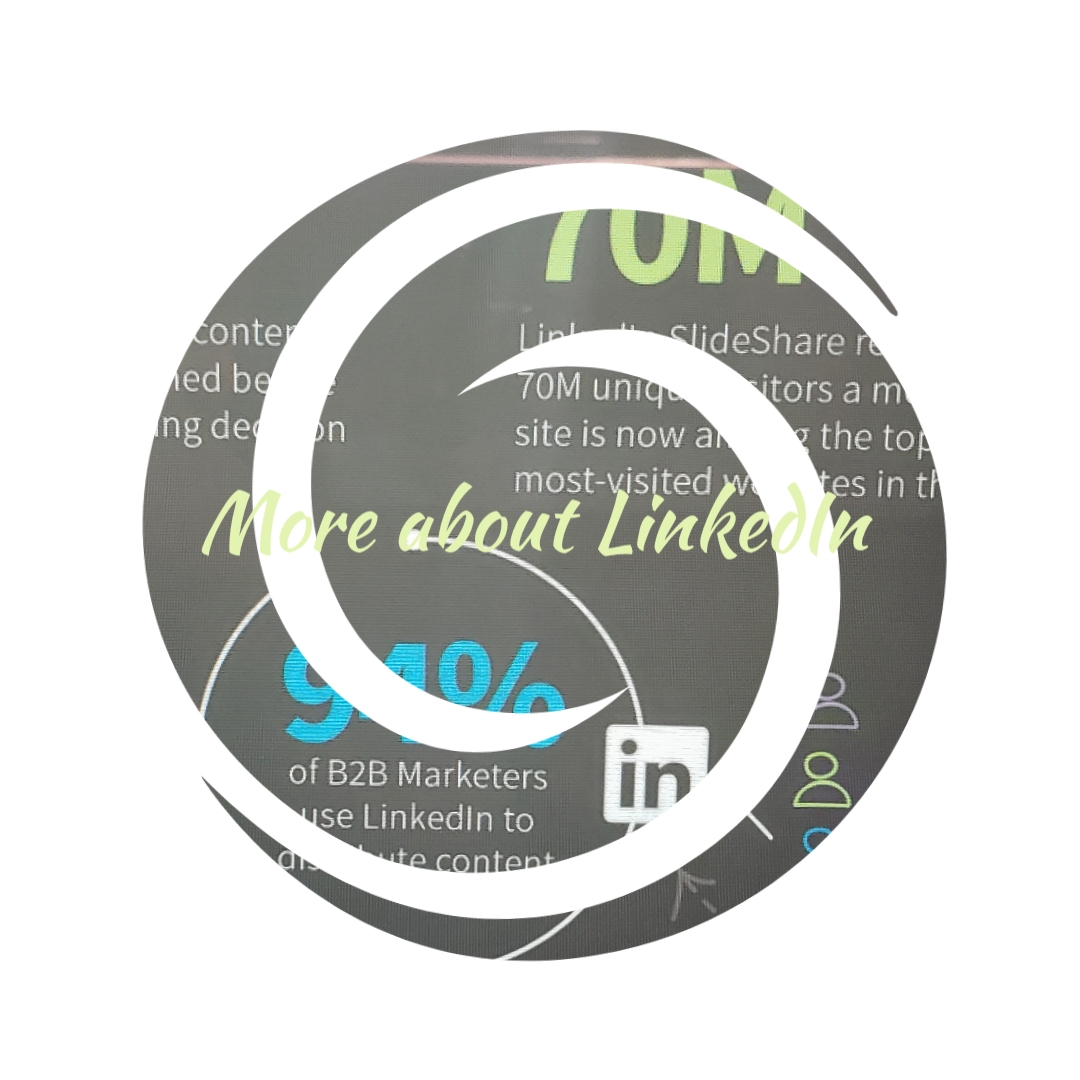
Want to know more about LinkedIn?

Who are the LinkedIn users and why should you advertise on LinkedIn?

Thanks for joining me!

According to the LinkedIn Statistics, and, articles published by Business Insider and Fortune, here are more info on LinkedIn:

  •  LinkedIn has over 562 million registered users in 200 countries and territories worldwide.
  • Microsoft’s acquisition of LinkedIn costed $26 billion.
  • Out of more than 500 million users, just 3 million users share content weekly.
  • Only 1 million users have published an article on LinkedIn.
  • About 45% of LinkedIn article readers are in upper-level positions (managers, VPs, Directors, C-level).
  • LinkedIn makes up more than 50% of all social traffic to B2B websites & blogs.
  • 92% of B2B marketers include LinkedIn in their digital marketing mix.
  • 91% of marketing executives list LinkedIn as the top place to find quality content.
  • 40% of monthly active users use LinkedIn daily, usually to find relevant content.
  • 80% of B2B leads come from LinkedIn vs. 13% on Twitter & 7% on Facebook.
  • 41% of millionaires use LinkedIn.
  • LinkedIn now has over 26 million companies and 15 million active job listings.
  • 1 million professionals have published post on LinkedIn.
  • More than 90% of recruiters use LinkedIn regularly.
  • LinkedIn SlideShare now has 70 million monthly active users.
  • Statistical Analysis and Data Mining are Top skills on LinkedIn.
  • 59% of LinkedIn members have never worked at a company with more than 200 employees.
  • There are 5.5 million accountants on LinkedIn.
  • There are 3 million MBA graduates on LinkedIn.
  • 79% of B2B marketers see LinkedIn as an effective source of lead generation.
  • There have been 11 billion endorsements on LinkedIn.
  • The average CEO has 930 connections.
Design a site like this with WordPress.com
Get started